Z-Scan2Send3.9
Publisher Description
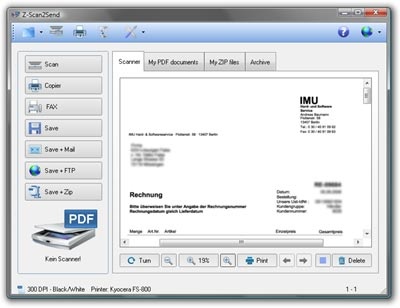
Z-Scan2Send is a program for easy and automatic sending of printed documents over the internet. It supports e-mail and FTP transfer, also securely via the encrypted SFTP/FTPS protocol. That guarantees fast and secure transfer of print documents, e.g. between subsidiary and headquarters or self-accounting entrepreneur and accountant. Once the software is set up, you can scan, save and send a document with one click! Z-Scan2Send can create PDF and TIFF files, optionally with ZIP compression and/or encryption. PDF and ZIP files can be password-protected to prevent access from unauthorized persons. The files are encrypted and their contents can only be viewed after the correct password has been entered.
All scanned documents are saved and prepared for automatic sending. Z-Scan2Send also allows to specify default text snippets for e-mail subject, body and signature.
Scanner Software Features
Scan to TIFF,
Multipage TIFF,
Scan to PDF,
Multipage PDF,
PDF password protection/encryption,
Automated e-mail delivery,
SFTP/FTP/FTPS transfers,
Fax sending,
Log file,
OCR text recognition,
ZIP support,
ZIP password protection/encryption (256 bit AES),
Self-extracting ZIP archives (SFX),
Automatic file naming,
Empty page recognition,
ADF (automatic document feed) support,
TWAIN compatible
About Z-Scan2Send
This Other Email Tools program is available in English, German, Spanish. It was last updated on 29 September, 2026. Z-Scan2Send is compatible with the following operating systems: Windows.
The company that develops Z-Scan2Send is IMU Hard- und Softwareservice. The latest version released by its developer is 3.9. This version was rated by 2 users of our site and has an average rating of 3.5.
The download we have available for Z-Scan2Send has a file size of 19.9 MB. Just click the green Download button above to start the downloading process. The program is listed on our website since 2014-04-24 and was downloaded 174 times. We have already checked if the download link is safe, however for your own protection we recommend that you scan the downloaded software with your antivirus. Your antivirus may detect the Z-Scan2Send as malware if the download link is broken.
How to install Z-Scan2Send on your Windows device:
- Click on the Download button on our website. This will start the download from the website of the developer.
- Once the Z-Scan2Send is downloaded click on it to start the setup process (assuming you are on a desktop computer).
- When the installation is finished you should be able to see and run the program.
Program Details
General
System requirements
Download information
Pricing
Version History
version 3.9
posted on 2014-04-24
- Several improvements and optimizations
- Bugfix in options dialog
- OCR of previously scanned documents
version 2.0
posted on 2010-05-25
Major update with some improvements and optimizations. Improving the Twain interface. Improvements for Windows 7.
